
Granola
The AI notepad that turns your raw meeting notes into structured, searchable knowledge.
The Verdict
Granola is easily the best AI meeting tool for anyone who hates having intrusive, visible bots dial into their Zoom calls. It turns your shorthand scribbles and local transcriptions into remarkably polished, structured notes without making clients feel like they're being monitored. While it lacks the deep, automated team collaboration features of G2 giants, at $14 a month for the Business plan, it's a steal for founders and operators who want to stay present and keep their data local.
✅ Pros
- ✓Completely invisible, bot-free operation: It runs locally on your Mac or Windows desktop, meaning no awkward "Granola has joined the room" alerts to derail client trust.
- ✓Enhances shorthand instead of replacing it: It doesn't just dump a wall of text; it takes your quick shorthand notes and expands them using full audio context.
- ✓Frictionless calendar integration: Automatically detects scheduled calls on Google Calendar or Outlook and prepares note templates beforehand.
- ✓Execution Kit workflows included: Workstak's custom-built templates fast-track CRM syncing and follow-up emails in under five minutes.
❌ Cons
- ✗No web dashboard: Because it's a native desktop app, you can't access, edit, or search your notes from a standard web browser (which could also be a good thing!)
- ✗Basic native integrations: Direct sync options (Notion, Slack, HubSpot) are relatively simple, requiring Zapier or APIs for complex routing.
About This Tool
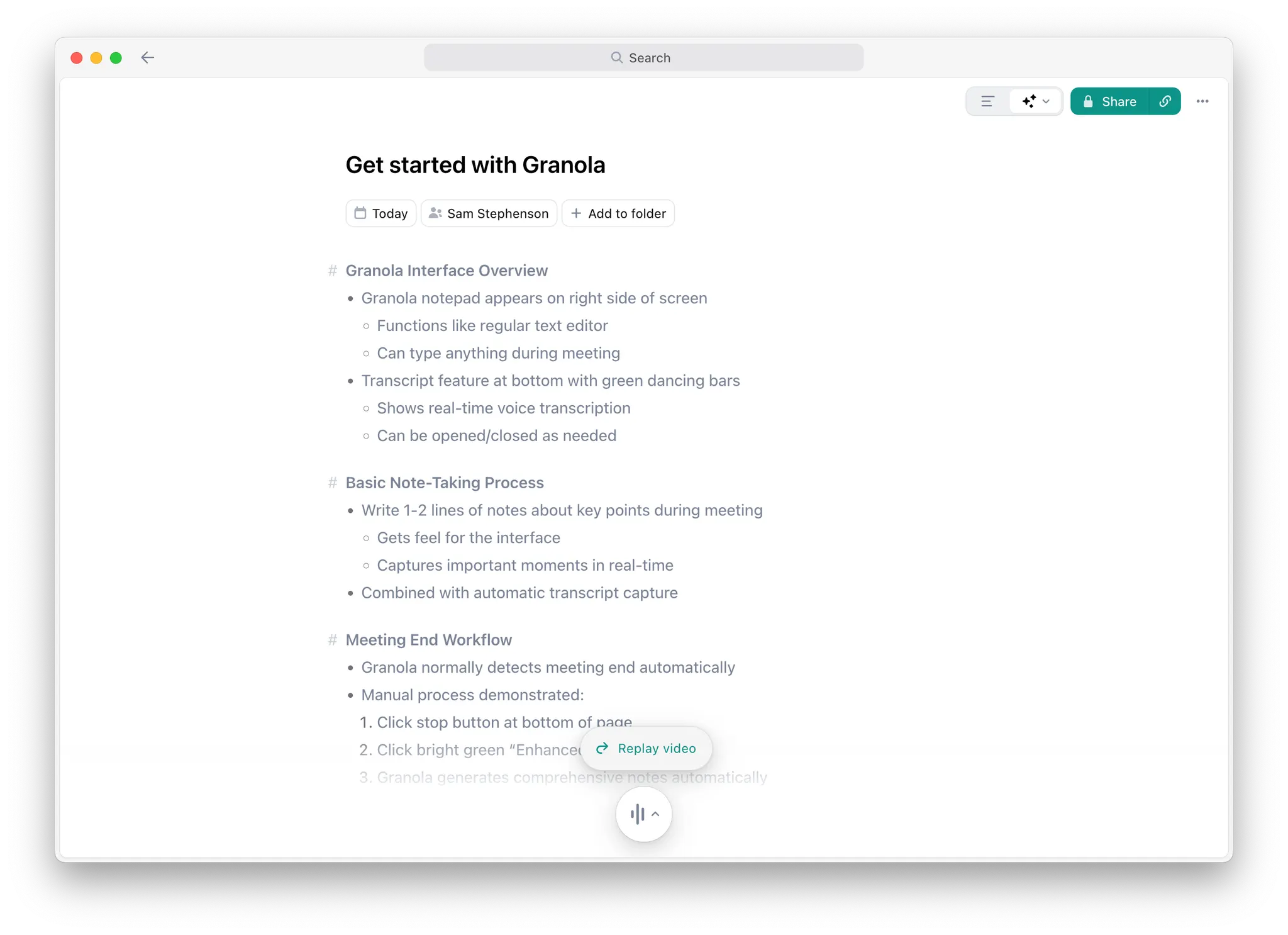
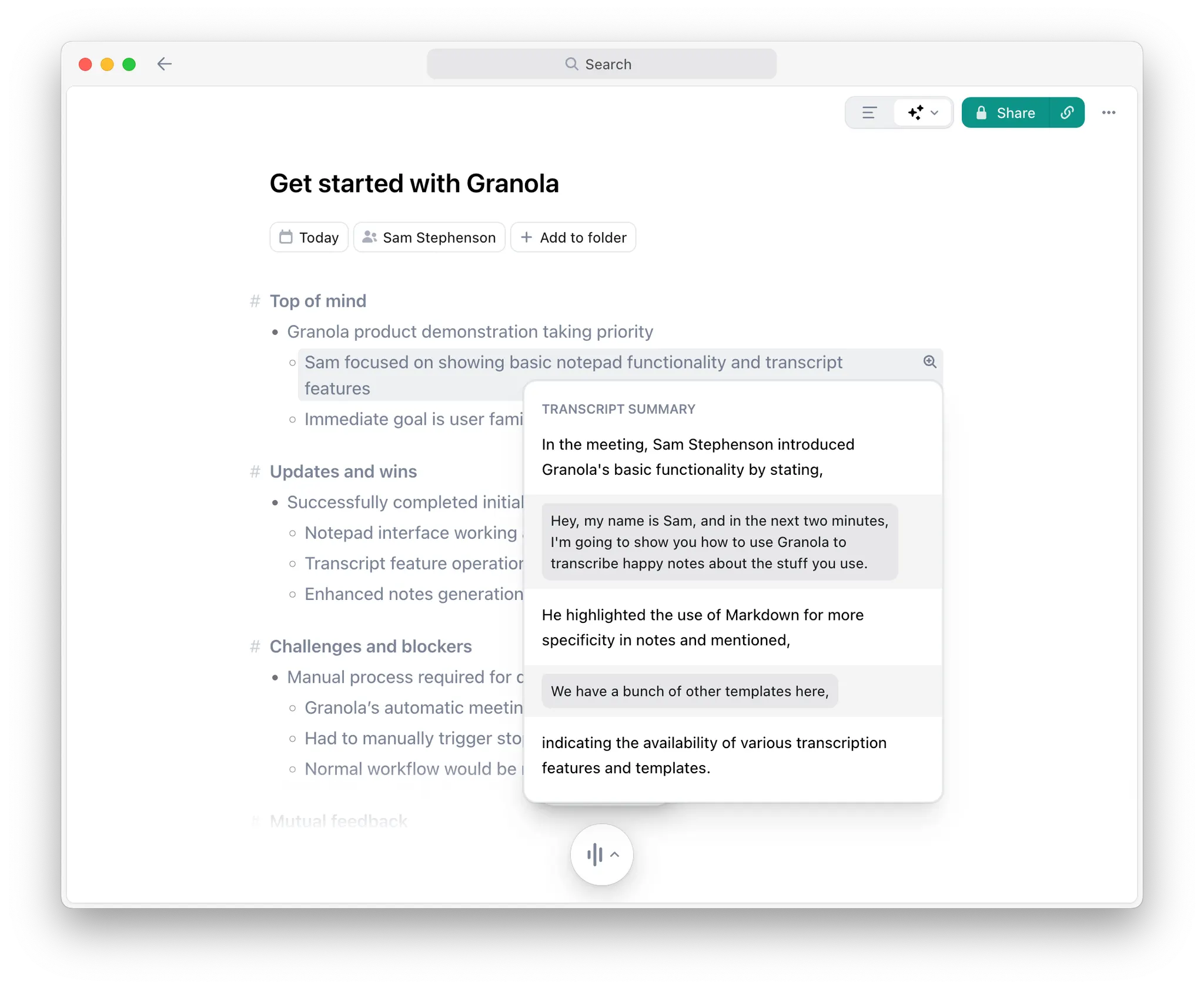
Granola is an AI-powered notepad purpose-built for professionals who live in back-to-back meetings. Rather than replacing your note-taking habits with a passive transcription bot, Granola works alongside you — it listens to the conversation transcript, takes your shorthand scribbles, and enhances them into clean, structured notes enriched with the full context of what was discussed. You stay present in the meeting; Granola handles the documentation.
The product operates as a native desktop app (macOS and Windows) and a companion iPhone app for on-the-go calls. It integrates with Google Calendar and Outlook to automatically detect meetings. Granola doesn't join your call as a visible "bot" — it captures the audio stream locally, keeping the experience invisible to other participants. The result is a searchable, organized library of every conversation with AI-powered chat that lets you query across your entire meeting history.
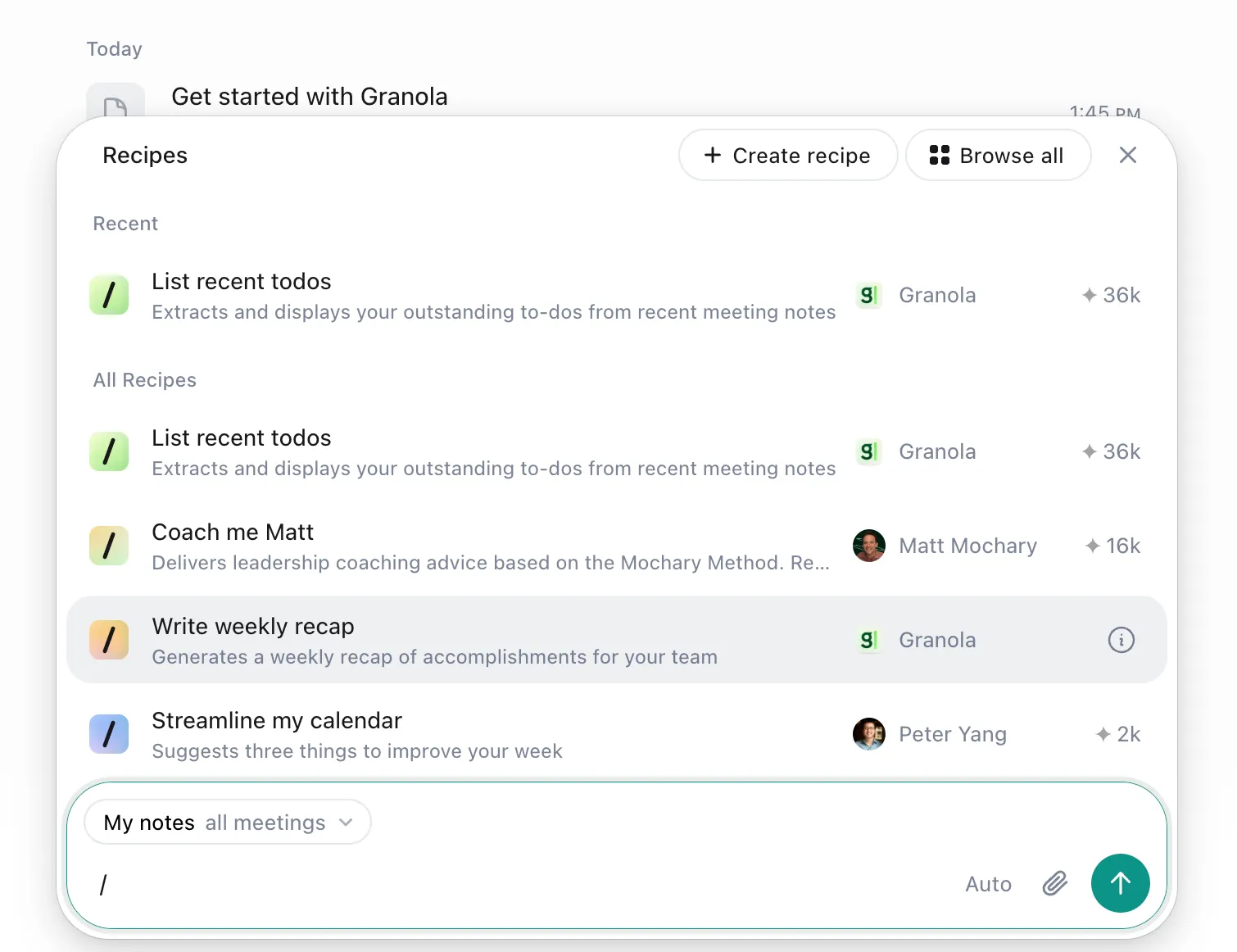
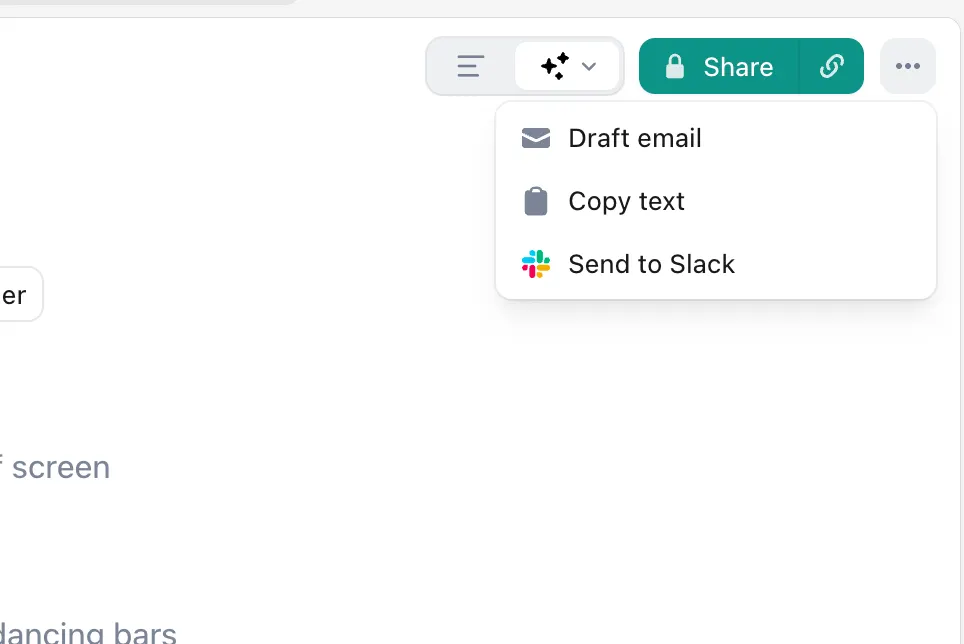
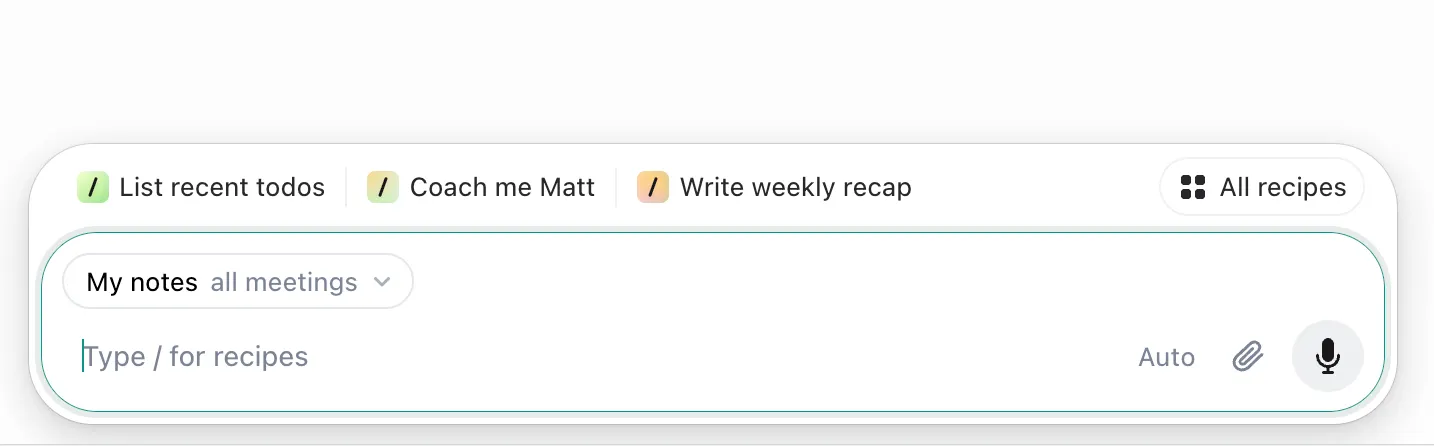
Granola also includes a built-in AI chat feature that has full context of all your past meetings. You can ask questions like "What did the Acme team say about their Q2 budget?" and get sourced answers drawn directly from your transcripts. Integrations with tools like Notion, Slack, HubSpot, Attio, Affinity, and Zapier let you push structured meeting outputs directly into your existing workflow. Notable customers include PostHog, Intercom, Ramp, Linear, Brex, Replit, and Vercel. The tool has a 4.9/5 aggregate rating.
Our Take
by Workstak Editorial Team, EditorWe’ve all been there: you’re five minutes into a high-stakes discovery call when an AI transcription bot named "John's Otter" or "Fathom Recorder" silently slips into the Zoom room. Instantly, the vibe shifts. The client gets stiff, the conversation becomes guarded, and you spend the next two minutes apologetically explaining that it’s "just for internal notes." It kills the rapport you were trying to build.
Granola fixes this by doing something radical: it behaves. Instead of dialing in as an uninvited guest, Granola runs quietly in the background on your machine. It captures system audio locally, listens to the call, and maps what it hears to whatever shorthand you scribble down during the meeting. It's completely invisible to other participants, keeping client trust intact.
During our hands-on testing, we found this local-first, bot-free approach incredibly refreshing. You don’t have to change how you work. You just open the app, type a few shorthand bullet points like "100k budget" or "wants HubSpot integration," and let the AI do the heavy lifting. When the meeting wraps, Granola combines the transcript with your rough notes to produce a beautiful, structured summary in your own voice. It feels less like an automated transcript dump and more like a highly capable chief of staff who knows exactly what you meant to write.
Let's look at how they package the pricing, because it's interesting. The Basic plan is free, and honestly, it's a solid taste of the tool. You get the AI notes, templates, and basic chat, but you're hit with a limited meeting history. If you're using this for daily business, you'll need to upgrade to the $14 per user per month Business tier. Honestly, at fourteen bucks, it's a steal. Upgrading unlocks unlimited notes, advanced thinking models, and API access. More importantly, it gives you MCP integration in all your apps, which lets you connect your notes directly to local dev environments or custom LLM contexts. However, if you are a larger company needing SSO, priority support, and org-wide auto-deletion, you'll have to jump to the $35 per user per month Enterprise tier—which is a pretty steep climb if you're just looking for basic admin controls.
But here's the thing: because Granola runs locally on macOS or Windows, it is fundamentally designed as an individual productivity tool rather than a collaborative team knowledge hub. If you want a centralized web dashboard where your entire product team can log in, edit transcripts, and tag each other in real-time, you're going to feel the limits here. There is no web app. If you're away from your computer and need to search through a client's Q2 budget details from your browser, you're out of luck unless you use their companion iPhone app to search your history.
On top of that, the native integrations are still in their infancy. Yes, you can push notes to Slack, Notion, and HubSpot. But these are basic text dumps. If you are an enterprise sales leader looking to map specific meeting data to custom fields in Salesforce or Attio, you will have to roll up your sleeves. We saw users in communities like Reddit complaining that they had to write custom Python scripts just to get their notes to sync properly with their product managers.
This is exactly why we built the Workstak Execution Kit for Granola. Our step-by-step guides show you how to bridge these integration gaps. For example, our CRM mapping workflow uses Granola templates and Zapier to transform raw discovery notes into structured deals in HubSpot or Attio, saving you from manual entry. We also created a product feedback loop workflow that uses Granola Chat to extract and synthesize feature requests across weeks of user interviews, turning a folder of notes into a queryable product roadmap. Our kits make the $14 Business plan feel like a $100 enterprise setup.
For solo founders, product managers, and account executives running four or more meetings a day, Granola is a no-brainer. It gives you your presence back. You can actually look at the person on the screen instead of frantically typing every word they say. The time-to-value is almost instant—you download the desktop app, connect your calendar, and you're ready to go. If you need enterprise-grade compliance or automatic meeting sharing for fifty-person teams, look elsewhere. But if you value your privacy, your clients' comfort, and a tool that feels like an extension of your own mind, Granola is the best $14 a month you can spend.
Operator Scorecard
Best For
- Founders, VCs, account executives, and product managers who run 4+ meetings/day and need structured outputs (action items, CRM updates, follow-ups) without context-switching.
- Ideal for teams of 1–20 who value speed and simplicity over enterprise governance. Particularly strong for investor relations, sales discovery calls, and product feedback sessions.
Pricing Tiers
Standard retail pricing for this tool.Note: Pricing is subject to change. To get the latest pricing, please check the product pricing page.
Business
Standard Annual RateGreat for individuals or small teams
Plan Features
- Everything in Basic, plus
- Unlimited meeting notes and history
- Access to advanced AI thinking models and features
- Advanced integrations with Attio, Notion, Slack, HubSpot, Affinity, and Zapier
- Centralized billing & user management
- MCP integration in all your apps
- API access
Enterprise
Standard Annual RateGreat for larger companies
Plan Features
- Everything included in Business
- Enterprise-grade security & admin controls
- Single sign-on (SSO)
- Priority support and usage analytics
- Org-wide auto-deletion periods
- Admin controls for sharing & API access
- Opt out of model training for everyone in your team
- Org-wide notification that Granola is being used (Pilot)
Frequently Asked Questions
Prioritize Workstak on Google
Enjoyed this analysis? Add us as a preferred source in your Google settings to get our weekly software teardowns and reviews directly in your feed.