Understanding AI SaaS Pricing: Seats, Credits, and even BYOK Models
The pricing model you choose dictates your margins. Here is how to evaluate Seats, Credits, and BYOK to avoid runaway software bills.

In this article
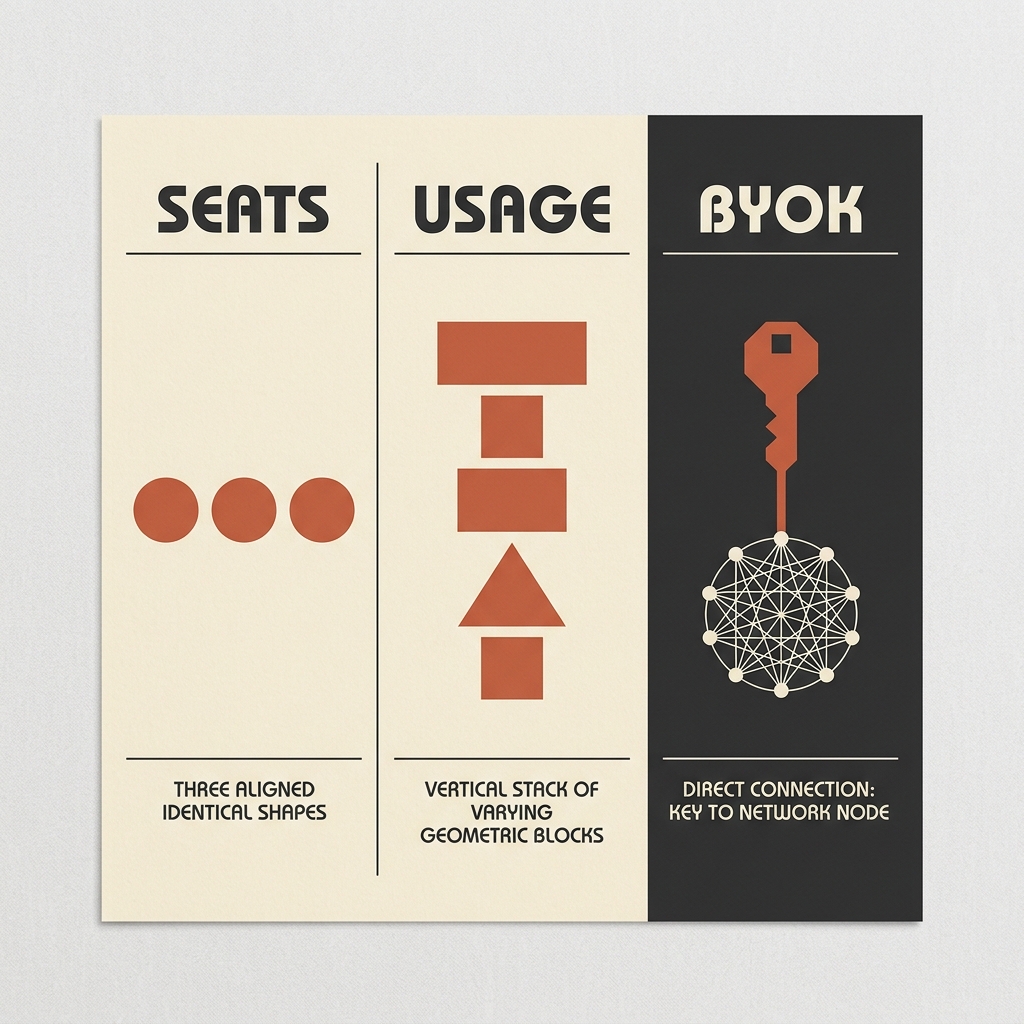
- The Three Models of AI SaaS Pricing
- 1. Traditional Seat-Based Pricing (The Flat Rate)
- 2. Usage-Based Credit Systems (The Pay-As-You-Go Markup)
- 3. Bring Your Own Key / BYOK (The Direct Pipeline)
- Evaluating the Economics: A Cost Comparison
- When to Choose Which Model: The Operator's Rules of Thumb
- Honest Caveats: The Invisible Cost of BYOK and Credits
- Summary
The pricing model you choose dictates your margins.
For the past decade, buying software was simple. Let's say you paid $29 per user per month for a tool, and your team used it as much as they needed. If you added another hire, you added another seat. Your software bill was predictable, linear, and easy to forecast.
But the AI era has disrupted this predictability. Because running LLMs requires significant compute and API call costs on every single request, software providers can no longer afford to offer truly "unlimited" usage for a flat monthly fee. If a user spends all day running recursive agent loops or processing massive databases, they can easily cost the software vendor more in API fees than the flat monthly subscription is worth.
To protect their margins, software vendors have introduced a confusing web of new pricing structures: usage credits, token allotments, model tiers, and Bring-Your-Own-Key (BYOK) interfaces.
If you're building workflows for your business, choosing the wrong pricing model will destroy your operational margins. Here is the pragmatic operator's guide to deciphering Seats, Credits, and BYOK models, and how to evaluate them before entering your credit card.
The Three Models of AI SaaS Pricing
To navigate the market, you must understand the mechanics of the three dominant pricing architectures.
1. Traditional Seat-Based Pricing (The Flat Rate)
This is the legacy model adapted for AI. You pay a fixed fee per user per month (e.g., $39/user/mo). The vendor promises "unlimited AI usage."
- How they make it work: To avoid losing money on power users, vendors employ silent throttling, strict hourly rate limits, or route your queries to smaller, cheaper models (like GPT-4o-mini or Claude 3 Haiku) for routine tasks, only using the premium models under strict conditions.
- The Best Case: This is ideal for manual, human-in-the-loop creative work (e.g., a copywriter using Jasper or a programmer using Cursor). Since a human can only write so many prompts per hour, the vendor's margins are safe, and your costs are 100% predictable.
2. Usage-Based Credit Systems (The Pay-As-You-Go Markup)
In this model, you pay a lower base monthly fee (or even get a free tier) but must purchase "credits" or "tokens" to run tasks. For example, a lead-scraping tool might cost $29/month and give you 10,000 credits, with each lead enrichment costing 5 credits.
- How they make it work: The vendor acts as a reseller of raw API tokens. They buy tokens from OpenAI or Anthropic at cost, package them inside their user interface, and sell them to you at a markup—often ranging from 300% to 1,000%.
- The Best Case: Best for occasional, low-to-medium volume automations where convenience is your priority. You do not have to manage API rate limits or set up multiple accounts; the tool handles the infrastructure backend for you.
3. Bring Your Own Key / BYOK (The Direct Pipeline)
This is the builder's model. You pay a flat, low subscription fee for the software interface itself (e.g., $10/month or a one-time lifetime deal). To use the AI features, you generate an API key from your own OpenAI, Anthropic, or OpenRouter account and paste it into the tool's settings.
- How they make it work: The software vendor does not pay for your compute. The tool sends requests directly to the LLM providers using your key, and you are billed directly by OpenAI or Anthropic for the exact number of input and output tokens your team uses, with zero markup from the tool.
- The Best Case: Essential for high-volume automated workflows (e.g., importing 10,000 leads and running three custom prompt enrichments on each). The raw API cost will be a fraction of what a credit-based tool would charge.
Evaluating the Economics: A Cost Comparison
Let’s look at the raw numbers. Imagine you run a marketing agency that processes 20,000 automated content enrichment tasks per month (e.g., scraping a website, extracting key data points, and writing a draft summary).
Here is how the costs break down across the three models:
| Operational Parameter | Seat-Based Model (e.g., 3 seats) | Credit-Based Model (Usage Tier) | BYOK (Software Fee + Raw APIs) |
|---|---|---|---|
| Typical Monthly Base | $150 ($50/seat × 3) | $49 (Includes 5,000 credits) | $15 (Flat app subscription) |
| Extra Usage Costs | $0 (But throttled if limits hit) | $150 (Buy 15,000 extra credits) | $45 (Raw API token usage) |
| Cost Predictability | 100% Predictable | Unpredictable (Usage fluctuates) | Variable (Tied directly to tokens) |
| Average Markup on API | N/A | 300% – 500% markup | 0% markup |
| Total Monthly Invoice | $150 | $199 | $60 |
While the seat-based model seems competitive on paper, it often comes with a hidden cost: speed and limitations. If your team runs 20,000 automated tasks in a week, a seat-based tool will likely hit a rate limit block, forcing your workflow to pause until the next billing cycle.
The credit-based system is the most expensive option due to the vendor's markup on the API tokens.
The BYOK model yields the lowest raw cost ($60 vs $199), saving the business over 65% on software spend while ensuring maximum speed and zero arbitrary usage caps.
When to Choose Which Model: The Operator's Rules of Thumb
To optimize your stack, map your specific use cases to the correct pricing model.
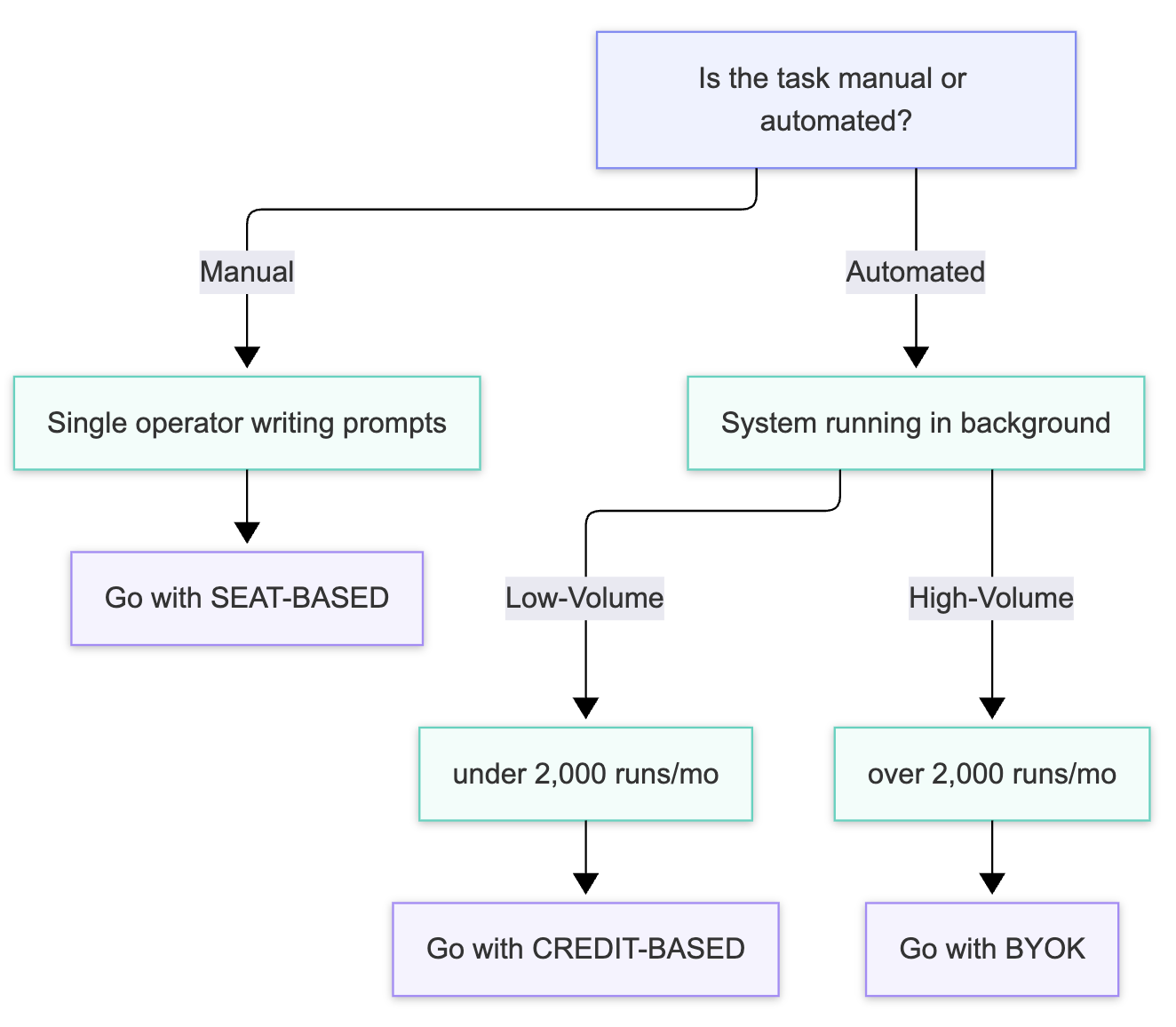
Choose Seat-Based Models when:
- Your workflow is human-bound (creative writing, research, active coding).
- You require predictability in your monthly bookkeeping and cannot tolerate fluctuating bills.
- You do not want to manage technical infrastructure or deal with API dashboards.
Choose Credit-Based Models when:
- Your monthly workflow volume is low (under 2,000 runs per month).
- The tool provides unique proprietary data scraping or scraping layers alongside the AI (e.g., Clay or Apollo), where the credit cost covers both data acquisition and processing.
- The convenience of a single consolidated bill outweighs the premium markup.
Choose BYOK Models when:
- You are running high-volume, automated background tasks (enrichments, bulk database cleanups, automatic support routing).
- You want to swap between different models (e.g., using GPT-4o-mini for cheap classification and Claude 3.5 Sonnet for advanced writing) within the same tool interface.
- Your operational margins depend on minimizing variable costs.
Honest Caveats: The Invisible Cost of BYOK and Credits
While we advocate for BYOK models for high-volume operations, you must be aware of the operational challenges they introduce:
1. The BYOK Security Risk
Pasting your master API keys into a third-party tool is a security risk. If the tool's database is compromised, malicious actors can steal your key and rack up thousands of dollars in usage charges on your account.
The Fix: Never use your primary API key. Always generate a dedicated, scoped API key for each tool, and set strict monthly budget limits on your OpenAI or Anthropic developer dashboard.
// Example: Always configure budget limits in your developer settings
{
  "project": "Workstak-Outreach-Tool",
  "monthly_spend_limit_usd": 150.00,
  "hard_stop_on_limit": true
}
2. Rate Limits and Tiers
When you use a credit-based tool, the vendor handles the API rate limits with their high-tier accounts. When you bring your own key, you are subject to the rate limit tiers of your own developer account. If you just created a new OpenAI developer account, you will start at Tier 1, which has low Requests-Per-Minute (RPM) limits. Your automated workflows may fail because your key is being rate-limited.
3. The "Double Markup" Trap
Watch out for predatory SaaS pricing. Some tools charge a premium seat subscription AND force you to buy marked-up credits to use the AI features. If a tool requires a $50/month seat fee and does not let you bring your own key or run a reasonable volume of tasks without buying credit packs, look for an alternative.
Summary
The decision of how to buy AI software is no longer just a feature comparison—it is an economic one. By understanding the markup on credits and the leverage of BYOK models, you can construct a stack that scales efficiently without ballooning your operational costs.
Want to eliminate bloated SaaS subscriptions and hidden usage markups? Explore Workstak Runtime to see how we replace fragmented software stacks with custom operational infrastructure, or join The Foundry.
Prioritize Workstak on Google
Enjoyed this analysis? Add us as a preferred source in your Google settings to get our weekly software teardowns and reviews directly in your feed.
Found this guide valuable?
Share it with other operators and builders.
Keep reading
All postsIdea Engineering: How to Find and Vet Products Worth Building
In an era where AI makes execution trivial, the real skill isn't building fast—it's choosing the right problem to solve.
Demystifying Agent Skills: The Rise of the SKILL.md
Stop bloating your system prompts. Learn how modular skill directories make LLM agents actually reliable.
Don't miss the next one
Get execution intelligence delivered.
Operational playbooks, systems architecture, and grounded analysis — zero filler.